
Tech Support Scams: What You Need to Know to Stay Safe
In today’s digital world, technology keeps us connected, informed, and productive—but it also opens the door to new types of scams. One of the most common and costly is the tech support scam, a scheme designed to scare people into giving away money, personal information, or access to their devices.
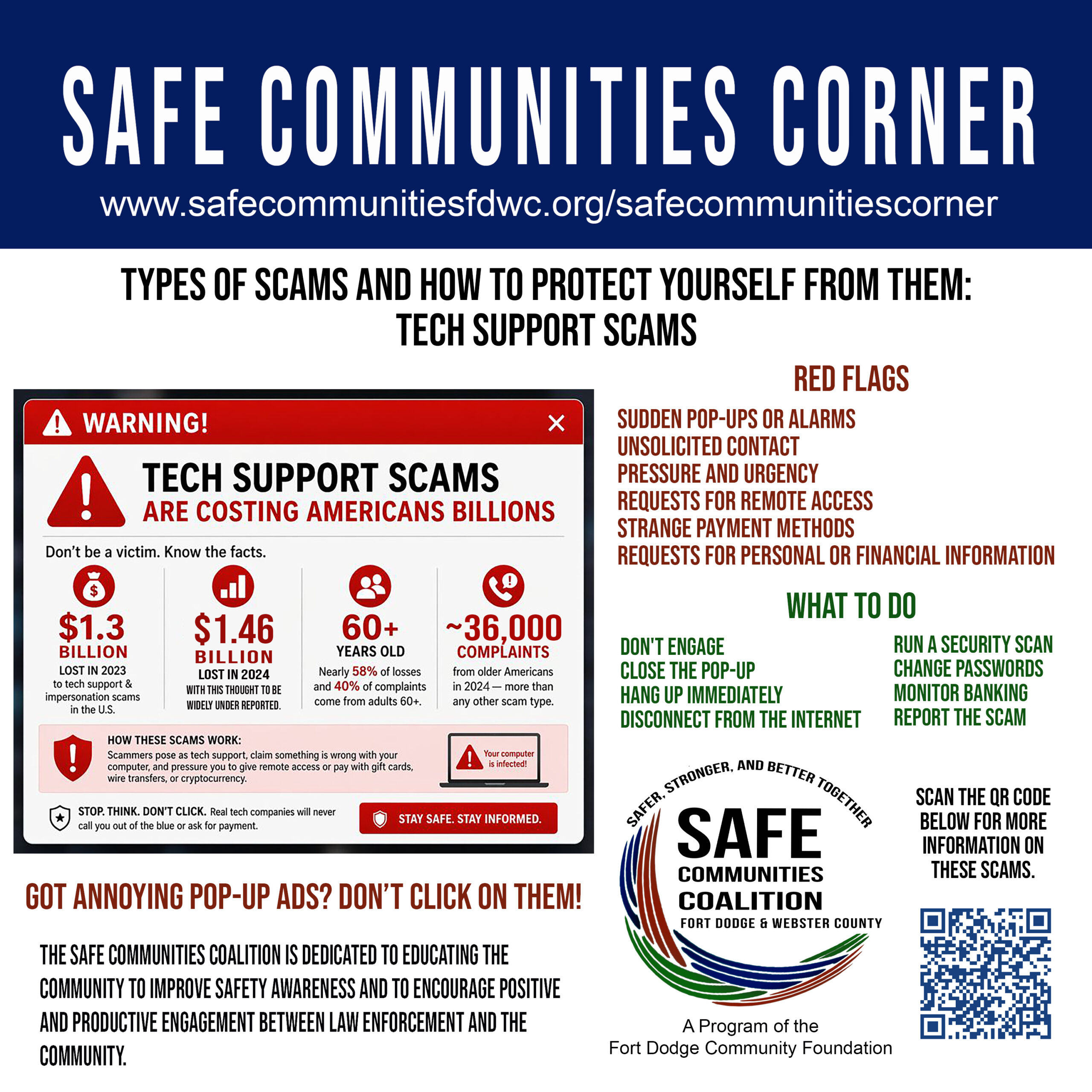
As highlighted in our Safe Communities Corner, these scams are not just an inconvenience—they are a growing financial threat impacting thousands of Americans every year.
🚨 The Real Cost of Tech Support Scams
Tech support scams are responsible for billions of dollars in losses nationwide. In 2023 alone, Americans lost over $1.3 billion, and 2024 losses are even higher at $1.46 billion. The startling fact is that, while these numbers are staggering, the reality is that they are likely much higher. Scams such as these are often never reported.
Older adults are especially targeted:
- Adults 60+ account for nearly 58% of financial losses
- They also represent about 40% of reported complaints
- Tens of thousands of cases are reported each year—and many more go unreported
These scams are successful because they rely on fear, urgency, and confusion.
⚠️ How Tech Support Scams Work
Scammers often pose as trusted companies, claiming there’s a serious issue with your computer. You might see:
- A pop-up warning saying your device is infected
- A phone call from someone claiming to be “tech support”
- An urgent message telling you to act immediately
From there, they try to:
- Gain remote access to your device
- Convince you to pay using gift cards, wire transfers, or cryptocurrency
- Steal personal or financial information
Their goal is simple: create panic so you act without thinking.
🚩 Red Flags to Watch For
Knowing the warning signs is your first line of defense. Be cautious if you encounter:
- Sudden pop-ups or loud alarm messages
- Unsolicited calls, emails, or texts
- Pressure to act quickly or threats of data loss
- Requests to download software or allow remote access
- Demands for unusual payment methods (like gift cards)
- Requests for passwords or sensitive personal information
If something feels off, trust your instincts—it probably is.
🛑 What To Do If You Encounter a Scam
If you come across a suspicious pop-up or receive a questionable call:
1. Don’t engage
Avoid clicking links, calling numbers, or responding.
2. Close the pop-up
Restart your device if necessary.
3. Hang up immediately
No explanation needed—just disconnect.
4. Disconnect from the internet
Especially if access may have been granted.
5. Run a security scan
Use trusted antivirus software.
6. Change your passwords
Particularly for email, banking, and important accounts.
7. Monitor your accounts
Watch for unusual activity.
8. Report the scam
Reporting helps protect others and stop scammers.
💡 A Simple Rule to Remember
If a message scares you, rushes you, and asks for money or access—it’s a scam.
🤝 Building a Safer Community Together
The Safe Communities Coalition is committed to educating and empowering our community. Awareness is one of the most powerful tools we have to prevent fraud and protect our neighbors—especially those most vulnerable.
By sharing information, staying alert, and looking out for one another, we can reduce the impact of scams and create a safer, more informed community.